As we learned in the previous module, the Emergency Calling solution consists of three components in order to implement a phone system that complies with US E911 regulations:
- Callers Address and a Phone number to call back
- Routing to the closest Emergency Dispatcher service (PSAP)
- Ability to Conference in/inform the Security/Helpdesk staff onsite
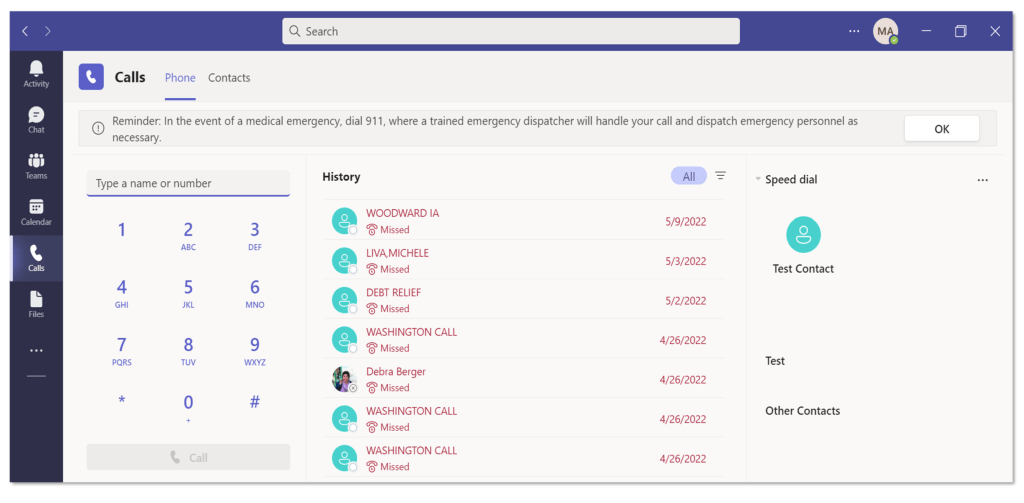
We’ll look at how Microsoft Teams meets the first of the three requirements: the telephone system must provide the caller’s address and a phone number for a call back.
Callers Address: As part of an emergency call, the Teams client includes location data. The emergency service provider then uses this information to determine the appropriate Public Safety Answering Point (PSAP) and route the call to that PSAP, allowing the PSAP dispatcher to obtain the caller’s location. Depending on whether the employee works in the office or remotely, teams can support both use cases. We will explore this in greater detail in the following modules.
Call Back Phone number: All Phone System users have access to caller ID regardless of PSTN connectivity option: Microsoft Calling Plan, Operator Connect, or Direct Routing. The following options are available for outbound PSTN caller ID.
- The telephone number assigned to the user, which is the default.
- A substitute phone number, which can be:
- A telephone number that is classified as a service and toll-free number in your Calling Plans telephone number inventory. It is assigned to a Teams Auto Attendant or Call Queue( Security desk/Helpdesk).
- A telephone number through Operator Connect or Direct Routing that is assigned to a resource account used by a Teams Auto Attendant or Call Queue( Security desk/Helpdesk).
The second requirement was to route the call to the nearest Emergency Dispatcher Service (PSAP) based on the Caller ID. This is dependent on PSTN connectivity.
For users in the United States and Canada, Microsoft Calling Plans, Operator Connect partners, and Teams Phone Mobile partners include dynamic emergency routing services.
However, additional configuration is required for Direct Routing in order to route emergency calls and possibly for partner connectivity. A subscription to an Emergency Routing Service (ERS) provider (United States and Canada) is required in addition to the configuration OR configure the Session Border Controller (SBC) for an Emergency Location Identification Number (ELIN) application. For more information on ERS providers, visit
- Bandwidth Dynamic Location Routing
- Intrado Emergency Routing Service (ERS)
- Intrado Emergency Gateway (EGW)
- Inteliquent
The third requirement was the ability to conference/notify with and inform the on-site Security/Helpdesk personnel. This is possible with Emergency Policies and is supported by Microsoft Calling Plans, Operator Connect, Teams Phone Mobile, and Direct Routing as your PSTN connectivity option.
You can set who to notify and how they are notified when a user who is assigned the policy calls emergency services. For example, you can configure policy settings to automatically notify your organization’s security desk and have them listen in emergency calls.
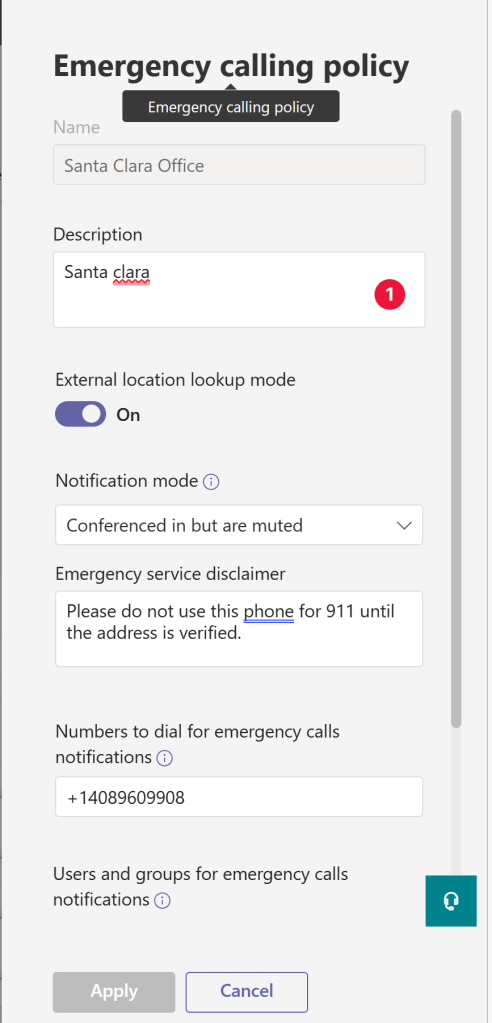
Emergency policies may vary from department to department, site to site, region to region or state to state. You can therefore assign emergency calling policies to individual users and as well as network sites.
You can use the global (Org-wide default) policy for users or create and assign custom policies. Unless you create and assign a custom policy, users will be assigned the global policy. Remember that you can change the settings in the global policy but not rename or delete it. you can create and assign custom policies to Network sites.
If you assign an emergency calling policy to a network site and a user, and that user is present at that network site, the policy assigned to the network site takes precedence over the policy assigned to the user.
 Talking to Myself
Leave a comment